New in Zoyride Analytics: SLA Performance Monitoring and Fleet Utilization Dashboard
Explore the new SLA performance monitoring and fleet utilization dashboard in Zoyride Analytics to track efficiency, improve service quality, and optimize fleet operations.
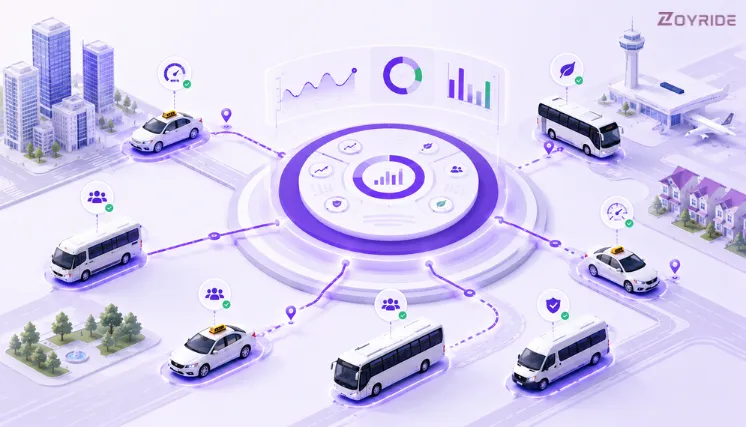
Most fleet operators have a rough sense of how their operation is performing. Trips are completing. Vehicles are moving. Vendors are delivering. But rough sense isn’t the same as knowing — and in fleet management, the gap between the two is where costs hide.
Two new analytics features are now live in Zoyride: SLA & Performance Monitoring and the Fleet Utilization Dashboard. Together, they give fleet managers the data they’ve been making decisions without — vendor on-time performance scores, vehicle idle time by asset, and utilization rates across the entire fleet, updated in real time.
Here’s what each feature does, why it matters operationally, and what you can do with the data once you have it.
The Problem These Features Solve
Fleet managers working without proper fleet analytics software typically face two recurring problems.
The first is vendor accountability without data. When a vendor’s on-time percentage drops, you feel it in passenger complaints and trip failures before you can prove it in numbers. Without a system tracking SLA performance over time, performance conversations become subjective — and difficult to act on.
The second is idle vehicles you can’t identify. Most operators know some vehicles in their fleet aren’t being used efficiently. But knowing which ones, for how long, and what it’s costing requires a fleet utilization dashboard that doesn’t exist in most manual setups. Vehicles sitting idle are still accumulating depreciation, insurance, and maintenance costs whether they move or not.
Zoyride’s two new analytics modules address both directly.
Feature 1: SLA & Performance Monitoring
What it tracks
The SLA & Performance Monitoring module tracks vendor and driver performance against defined service level agreements. The two core metrics it surfaces are:
- On-time percentage — the share of trips completed within the agreed pickup and drop-off window, measured per vendor, per route, and per time period. If your vendor SLA tracking requires 90% on-time performance and a vendor is consistently delivering 74%, that number is now visible in your dashboard rather than buried in trip logs.
- Vendor score — a composite performance score drawn from on-time percentage, trip completion rate, cancellation rate, and passenger feedback. Rather than evaluating vendors on a single metric, the vendor score gives you a weighted, comparable view across your entire vendor pool.
How it works in practice
Every trip completed through Zoyride’s fleet management platform feeds into the SLA dashboard automatically — no manual data entry, no spreadsheet exports. The system calculates on-time performance fleet metrics against your defined SLA thresholds and flags vendors falling below target in real time.
Fleet managers can filter performance data by vendor, route, vehicle type, or date range — making it straightforward to identify whether an SLA breach is an isolated incident or a pattern worth addressing. If a vendor has been below threshold for three consecutive weeks, that’s visible immediately.
For operations teams managing multiple vendors across different zones or cities, the vendor score creates a like-for-like basis for comparison — allocation and renewal decisions made on actual performance data, not anecdotal feedback.
Why this matters
Vendor contracts in transport are typically renewed on relationship, cost, and general performance perception. Consistent SLA tracking changes that dynamic. When performance data is documented over time, you have an objective basis for:
- Renegotiating rates with underperforming vendors
- Reallocating high-demand routes to higher-scoring vendors
- Identifying training or process gaps before they become chronic
- Defending or disputing SLA breach penalties with documented records
For corporate employee transport operators, SLA data is increasingly a client requirement. Enterprise clients conducting quarterly transport reviews expect documented on-time performance — not a verbal assurance. Having that data tracked and exportable in Zoyride removes the manual effort of producing it on demand.
SLA thresholds are fully configurable per vendor and per route — the dashboard flags performance against each threshold individually.
Feature 2: Fleet Utilization Dashboard
What it tracks
The Fleet Utilization Dashboard gives operators a real-time view of how vehicles are actually being used versus how available they are. The two core metrics are:
- Idle time — the total time a vehicle is available but not on a trip, broken down per vehicle, per day, per week, or per month. Idle time is the clearest signal that a vehicle isn’t earning its keep. Industry research suggests the average fleet has 15–20% of its vehicles underutilized at any given time, with each idle vehicle accumulating significant annual carrying costs in depreciation, insurance, registration, parking, and maintenance.
- Utilization percentage — active trip hours as a percentage of total available hours, measured per vehicle and fleet-wide. Most operations aim for utilization rates in the 85–95% range to balance availability with asset efficiency. The dashboard shows exactly where each vehicle sits against that benchmark.
How it works in practice
The utilization dashboard pulls live data from all active vehicles in your transport management platform and presents it in a single filterable view. Fleet managers can sort by utilization rate to immediately identify the lowest-performing assets, filter by vehicle type or zone, and view trends over time to understand whether utilization is improving or declining.
The vehicle idle time tracking goes further than a single number. It shows idle time by vehicle across the day — so you can see whether a vehicle is sitting idle during morning peak hours (a scheduling problem), afternoon hours (a demand problem), or uniformly across the day (a capacity problem). The cause of idle time determines the fix.
For mixed fleet operations — taxis, employee transport shuttles, and rental vehicles — the dashboard surfaces which vehicle types are over-deployed and which are underused, informing fleet size and allocation decisions with actual data.
Why this matters
Idle time is one of the most expensive inefficiencies in fleet operations and almost impossible to manage without visibility into it. The utilization dashboard gives fleet managers the data to:
- Identify vehicles that should be redeployed to higher-demand zones or routes
- Right-size the fleet — removing consistently underutilized assets reduces fixed costs without impacting service capacity
- Improve scheduling — persistent idle time during specific hours signals a gap that can be fixed
- Make the financial case for fleet adjustments to operations leadership with quantifiable data
For taxi and cab dispatch operators, utilization data feeds directly into zone management. Knowing which zones have vehicles sitting idle and which are struggling with demand allows dispatch teams to rebalance proactively rather than waiting for the problem to surface in missed bookings.
Both dashboards support CSV and PDF export — filtered by date range, vendor, vehicle type, or zone — ready for client or management reporting.
How the Two Features Work Together
SLA monitoring and fleet utilization sit in the same Zoyride analytics dashboard — and the data from both connects in ways that make each more useful.
A vendor with a low on-time percentage and high idle time is telling you something specific: vehicles are available but trips aren’t completing on time. The problem is likely driver behaviour or route execution, not capacity. A vendor with a low on-time percentage but low idle time is a different problem entirely — vehicles are busy but still missing SLA windows, pointing to scheduling, route design, or demand mismatch.
Reading both metrics together gives fleet managers a faster path to diagnosing operational problems and making the right intervention rather than the easy one.
Getting Started
Both features are available now in the Zoyride analytics dashboard for all active subscribers. No additional setup is required — trip data already flowing through your Zoyride account automatically populates both dashboards from day one.
If you’re on the Starter plan and want to access these analytics features, visit the pricing page to review plan options. If you’re not yet on Zoyride, both features are fully available during the 14-day free trial.
See the new features in action.
Start tracking fleet utilization and vendor SLA performance across your entire operation. Try it Free for 14 Days · Need help getting started? Contact our experts
Frequently Asked Questions
Do I need to set up anything to start using these dashboards?
No. Both dashboards pull from trip data already recorded in your Zoyride account. As long as trips are being dispatched and completed through the platform, the analytics populate automatically. Your SLA thresholds can be configured in the settings panel.
Can I define my own SLA targets for different vendors?
Yes. SLA thresholds are configurable per vendor and per route. You can set different on-time percentage targets for different vendor tiers or service types, and the dashboard will flag performance against each threshold individually.
How is the vendor score calculated?
The vendor score is a composite metric drawn from on-time percentage, trip completion rate, cancellation rate, and passenger feedback scores. The weighting can be reviewed in your analytics settings. The score gives a single comparable number across vendors without requiring you to manually balance multiple metrics.
What counts as idle time in the utilization dashboard?
Idle time is calculated as the period during which a vehicle is marked as available in the system but is not assigned to or completing an active trip. Vehicles marked as offline, under maintenance, or out of service are excluded from idle time calculations.
Can I export these reports for client or management reporting?
Yes. Both dashboards support CSV and PDF export. Reports can be filtered by date range, vendor, vehicle type, or zone before exporting — making it straightforward to produce the specific view a client or internal stakeholder needs.
Are these features available on all Zoyride plans?
SLA monitoring and the Fleet Utilization Dashboard are available on Pro plan and above. Starter plan users can access basic trip reporting. To compare plan features, visit the Zoyride pricing page.