Flight
Manage flight bookings
Flights are an essential part of the services provided, encompassing all aspects of air travel management, including bookings, scheduling, and customer support.
Add flights
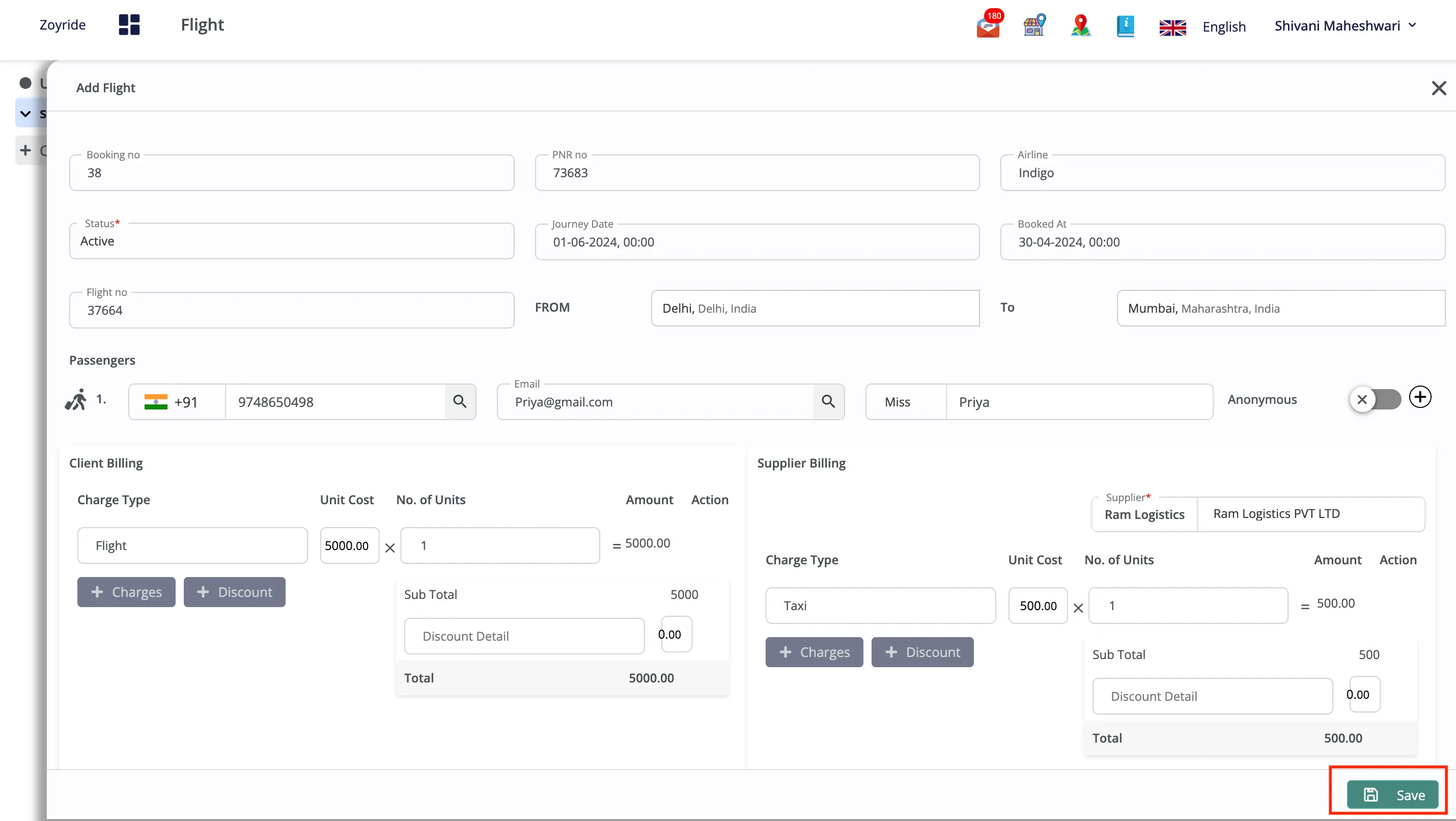
- Navigate to the ‘_Flights_’ tab in our Fleet management Solution
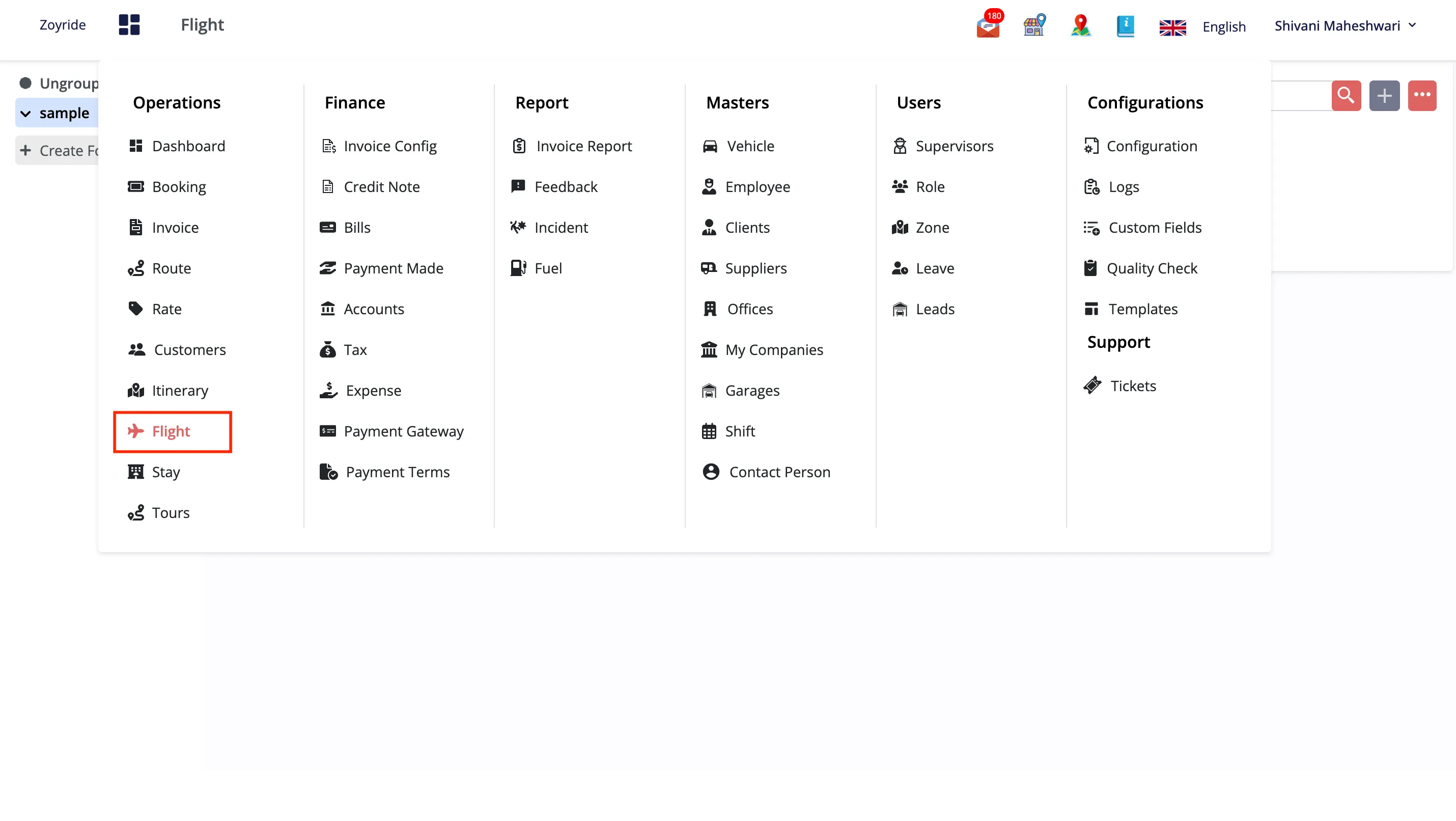
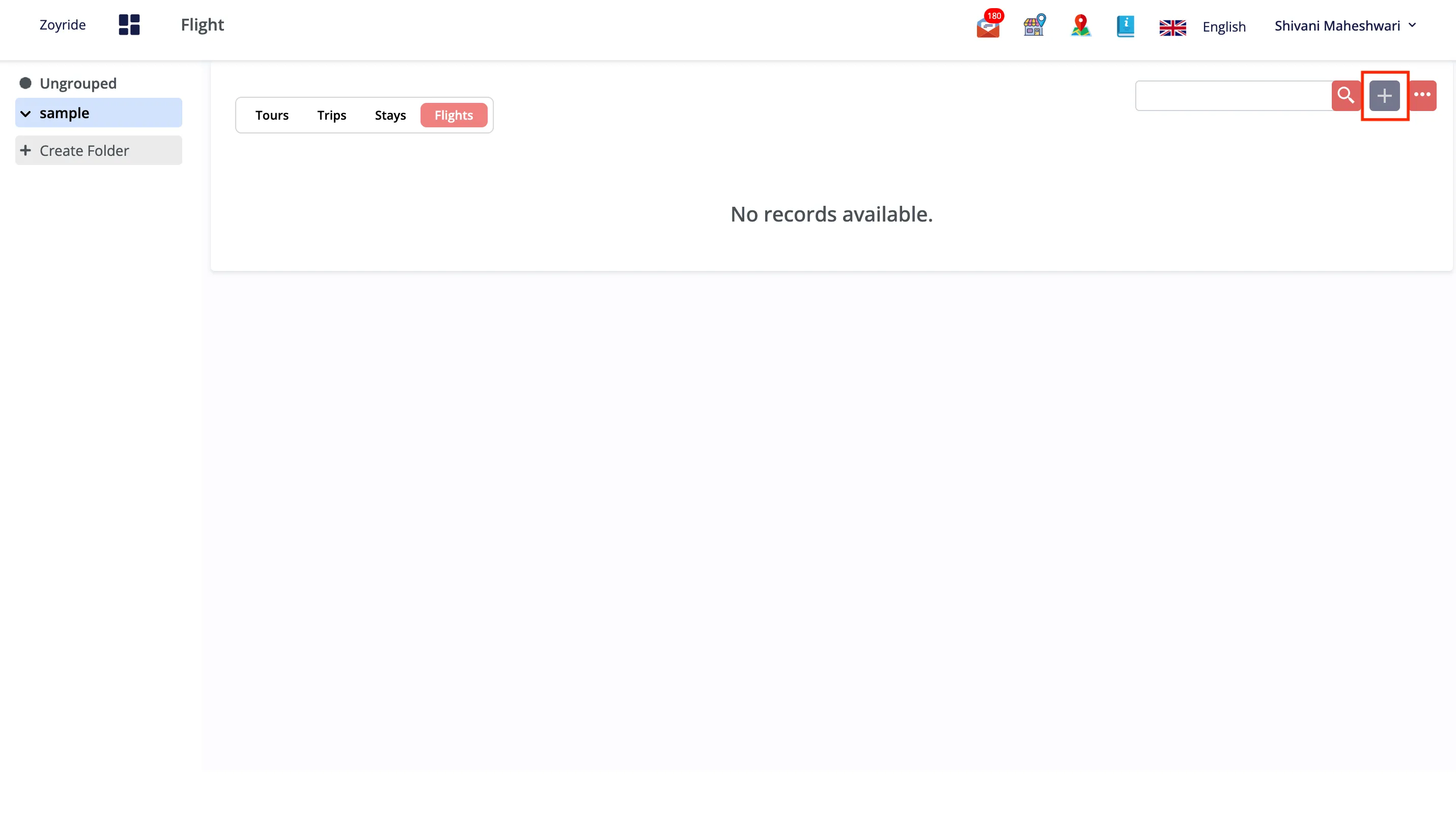
- Click on the “Add Flight Options” button.
- Fill in the required fields that appear, such as flight details, travel dates, passenger information, and any specific customer requests or inquiries related to their air travel.
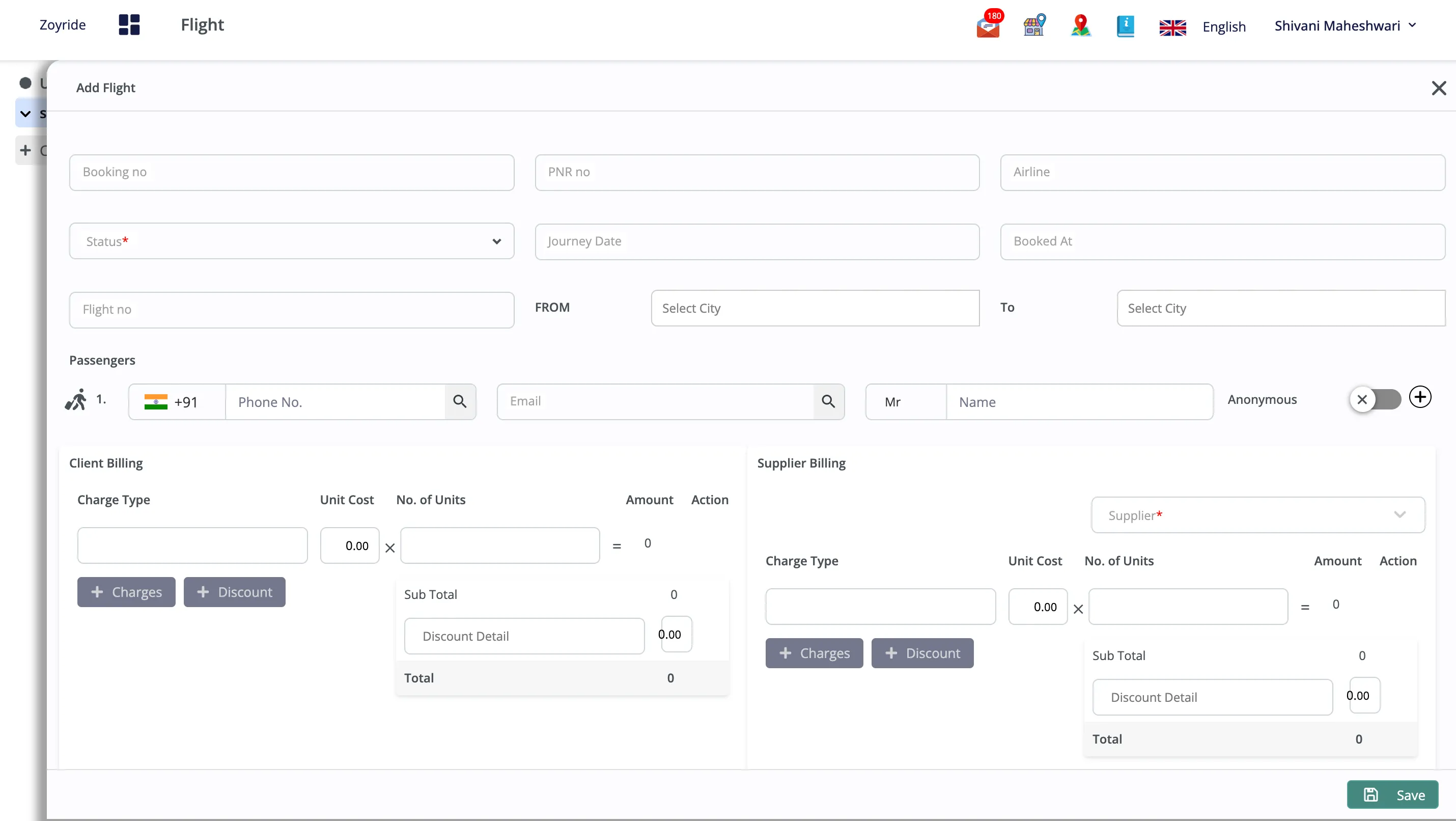
- Managing these details efficiently ensures a seamless travel experience for your customers, enhancing their overall satisfaction with your service.
- Once all details are entered, click the “Save” button in our ERP Solution.
Bulk Upload
- Navigate to the Flights Tab:
- Access the ‘Flights’ tab located on the Console.
- Initiate Bulk Upload:
- Locate the three dots icon on the right-hand side of the ‘Flights’ tab.
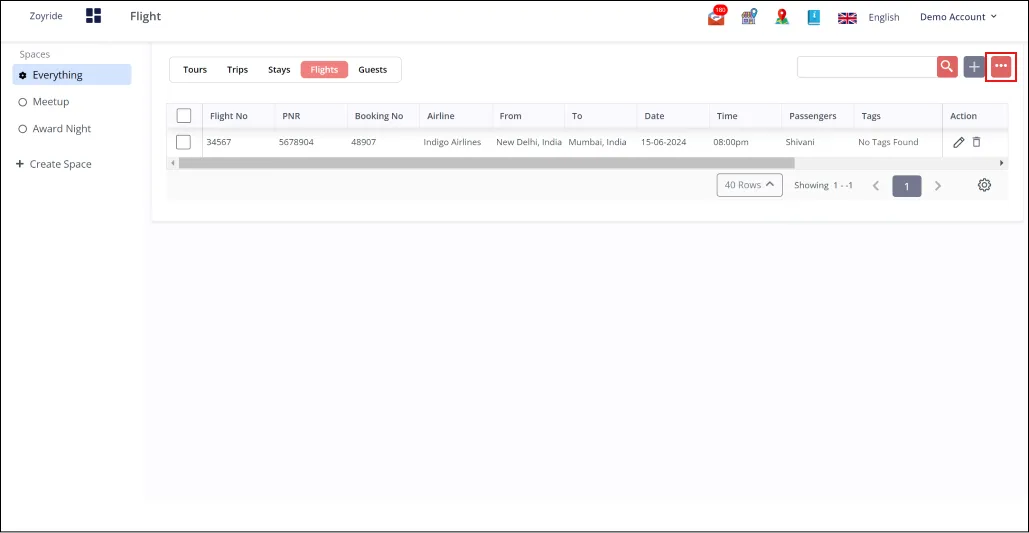
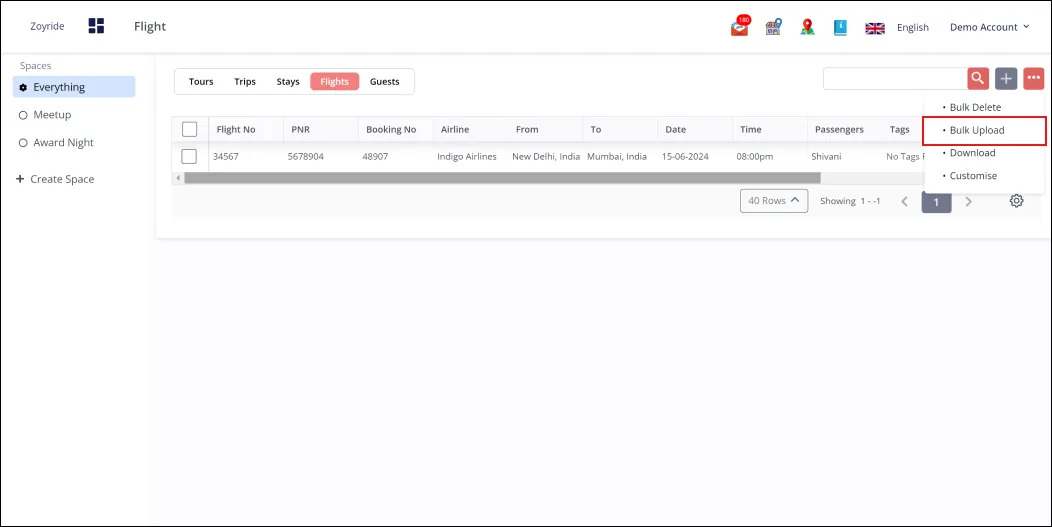
- Click on this icon to open a menu with additional options.
- Select the “Bulk Upload” option from the menu.
- Select Upload Template:
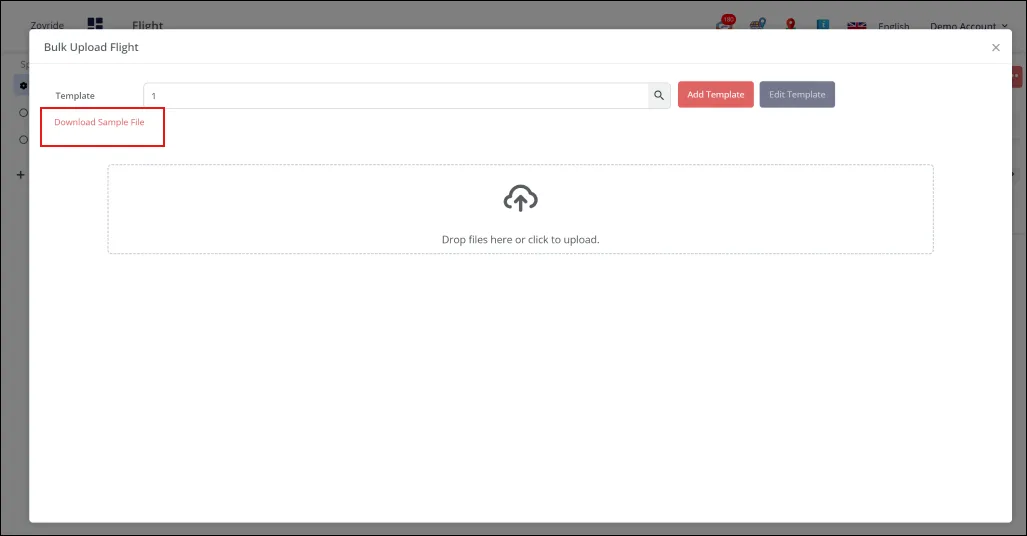
- Once “Bulk Upload” is selected, a pop-up window will appear.
- This pop-up will offer a sample file for download; click to download it.
- The sample file serves as a guide for correctly formatting your flight data.
- Prepare Your Data:
- Open the downloaded sample file.
- Populate it with the required flight data as per the guidelines in the file.
- Save the filled-out template on your computer after entering all necessary data.
- Upload the Data:
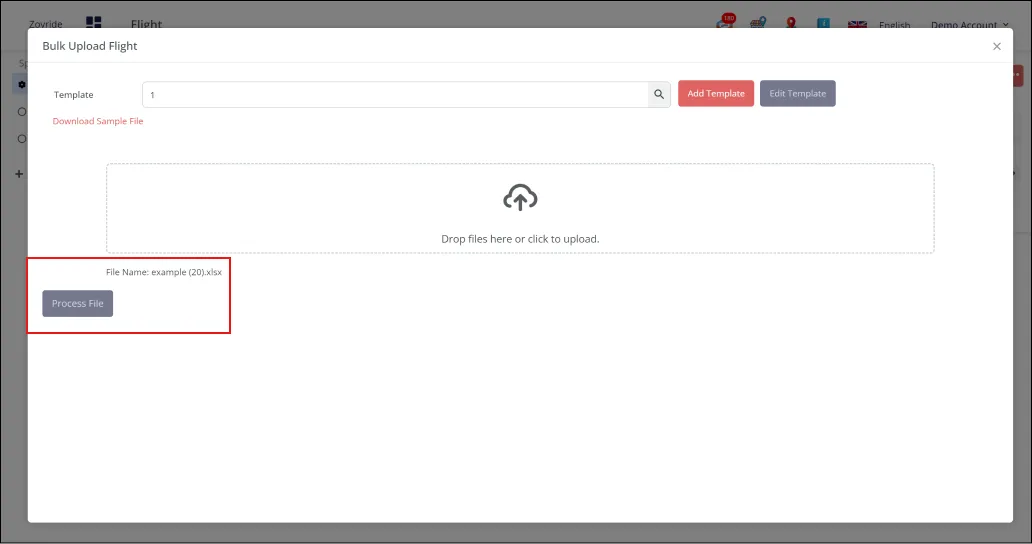
- Drop the saved file into the document uploader provided on the Console.
- All the flight data contained in the file will be automatically added to the system.